
The ability to playback vehicle travel, overlaid on the Google map is a commonly utilized function and is available by navigating to Historic mapping" tab in the Fleetdynamics portal
Date/time & vehicle selection
Once on the Historic mapping screen you have the ability to select the appropriate date, time and vehicle you wish to playback the vehicle activity for. The default time period for this selector is the past 24 hours.
Once you have selected the period and vehicle, simply press "Execute report" and the system will display the trip data on the map below in an easy to read visual representation.
Directly below the map will be a summary of the trips displayed on the map. By checking the small checkbox at the start of each trip you have the ability to show/hide individual trips from the map above.
By clicking on any of the individual dot points displayed on the map, you are able to view the specific information from the vehicle at that point of time.
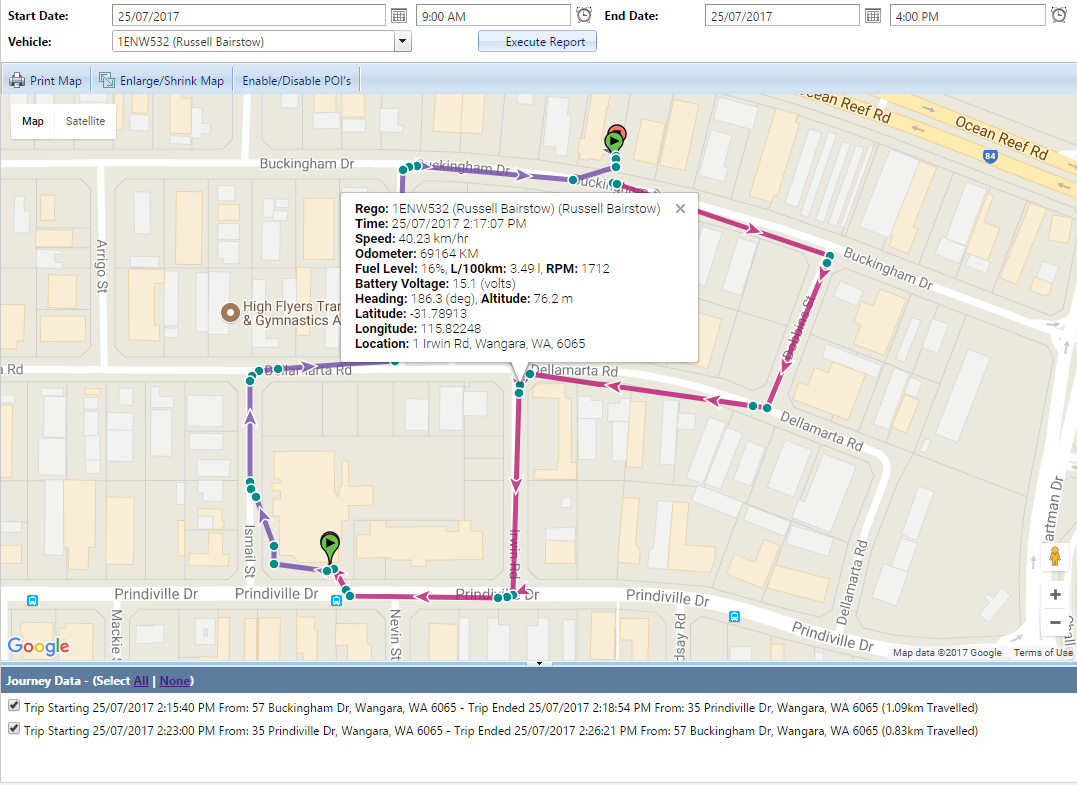
Each marker on the map is an individual data point provided by your equipment. These markers may be different colors to indicate different event's occurring at that point of time
Comments
0 comments
Please sign in to leave a comment.